
Date
Votes
2 comments
-

Jim Locke Go to the person's profile, and click on "Edit Profile" on the right side of the screen (I've drawn a box around it, here...)
 Then you'll see a page full of fields you can edit, with death/burial info at the bottom...
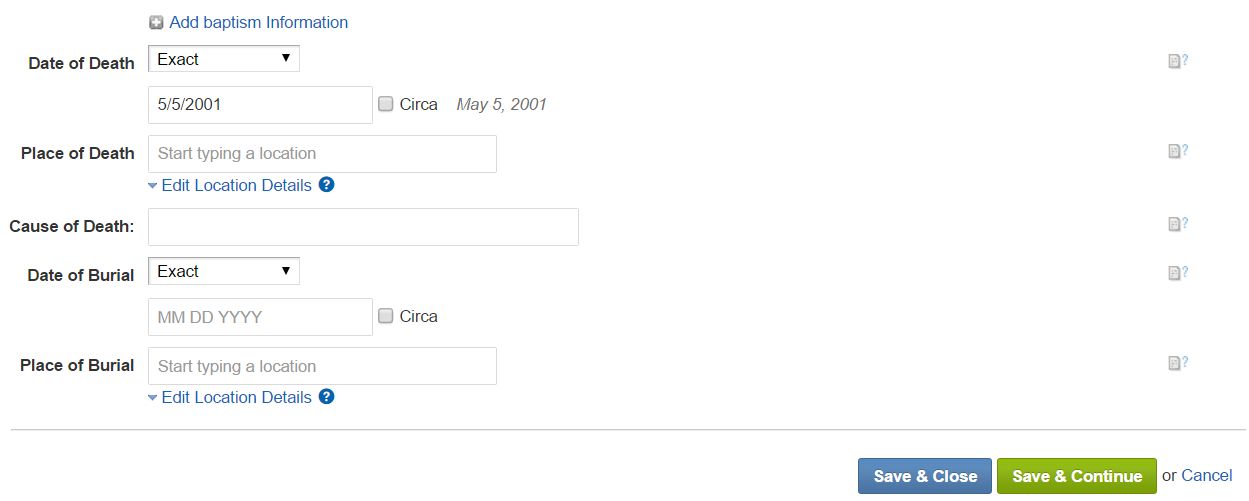 Just be sure to click either "Save & Close" or "Save & Continue" for the changes to be saved. I hope this helps! --Jim
 -

Jeff, Geni Curator Some additional info... The person does need to be marked as deceased before you'll see the death fields for date and location. If you're not able to edit the profile, because the person was once a Geni member, then you'll need to report the person as deceased. http://help.geni.com/hc/en-us/articles/229706547-How-do-I-report-a-profile-as-Deceased-
Please sign in to leave a comment.