
To remove yourself as manager of a profile, simply log in to your account and navigate to the profile you wish to remove yourself from.
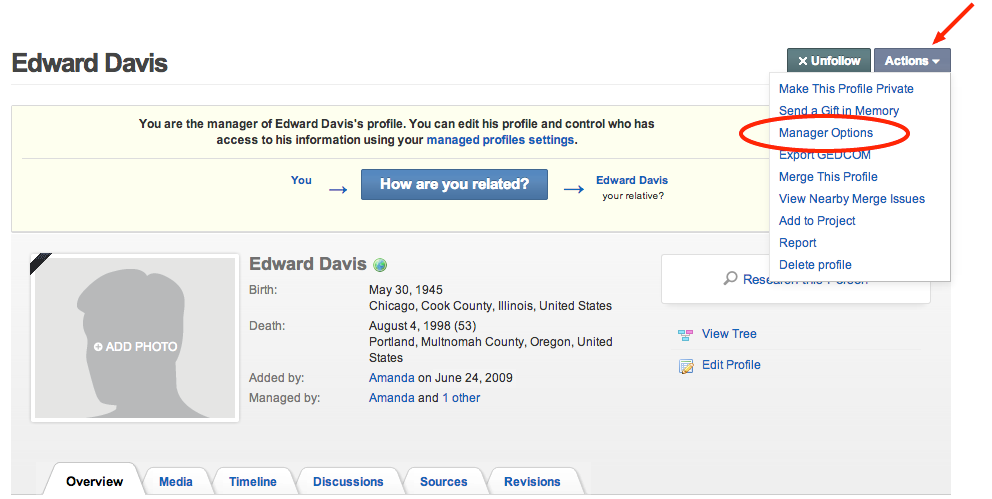
1. Click "Actions" and select "Manager Options."
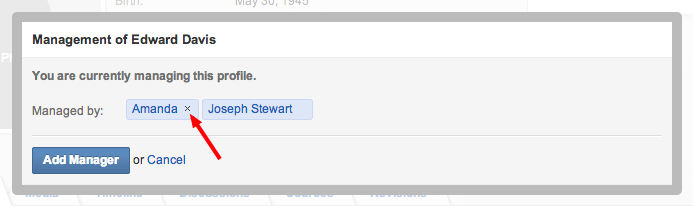
2. Click on the small x next to your name to remove yourself as a manager.
Updated: July 9, 2014
0 Comments