
I would like to change the status of my mother's profile to "deceased" but there is no option to do so and no "action" button showing up when I edit her profile. This has been asked a few times but nobody seems to be able to provide a solution. Repeat - no "action" button and no "deceased" status option!
Date
Votes
1 comment
-

Geni Support Team Hi Guy, the Actions button is found on the profile page NOT the edit page. On your mother's profile page, click "Actions."

Next, select "Report."

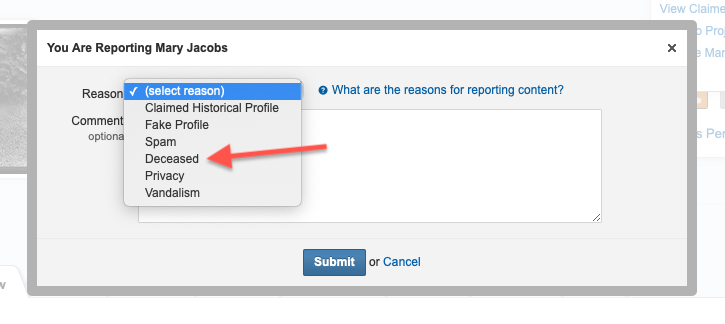
Then choose "Deceased" as the reason in the dropdown. You may add a comment, such as a link to an obituary, and then click "Submit."
Please sign in to leave a comment.