when I want to see the family tree on my surface book (high resolution) the fonts are so small that no one can read it.
this happens with certain software that is not prepared to be shown on monitors with high resolution. it seems that geni belongs to this software category. too bad - it's a bug, not a feature.
Date
Votes
4 comments
-

Jeff, Geni Curator Never had any issues on my Macbook with Retina display. The tree is done in Flash, so it should scale since it's a vector graphic.
-

Bjørn P. Brox Tree view ? Have you noticed that you in the preferences that pops up at the bottom of the display have a setting for minimum and maximum text size?
-

Stephan Bernhard Jaray hi jeff, hi bjorn
thanks for replying to my bug report.
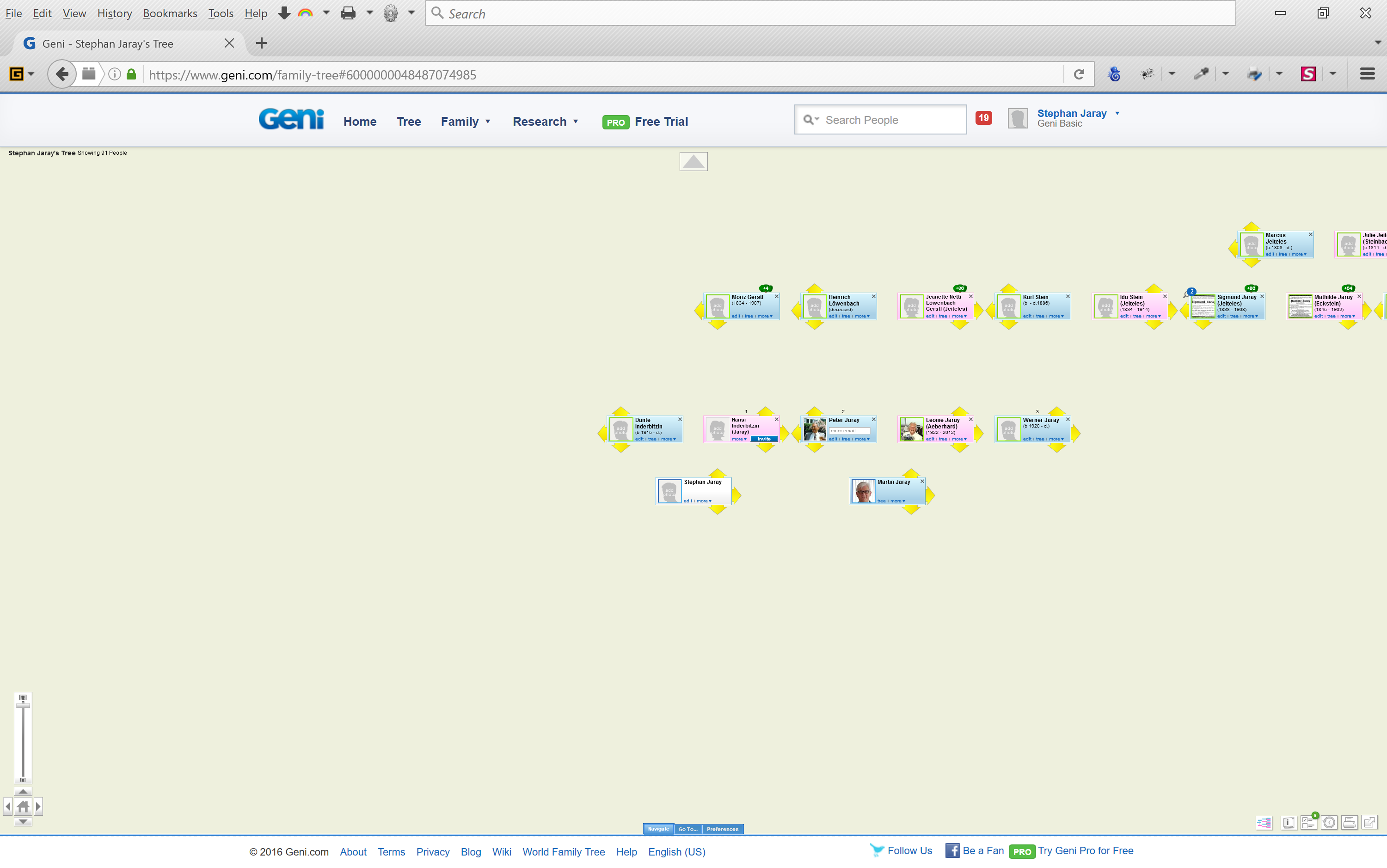
look at the attached screenshot - it's the default (maximum) zoom on my laptop, which is a window's SURFACE BOOK with high resolution, not a MAC.
you will notice the problem i have described: the vector grafics are way too small, even with the maximum zoom.
-
Stephan Bernhard Jaray UPDATE:
it's a problem of FLASH in combination with FIREFOX.
workaround:
open geni.com in CHROME which is able to scale FLASH correctly for high resolution monitors.
Please sign in to leave a comment.