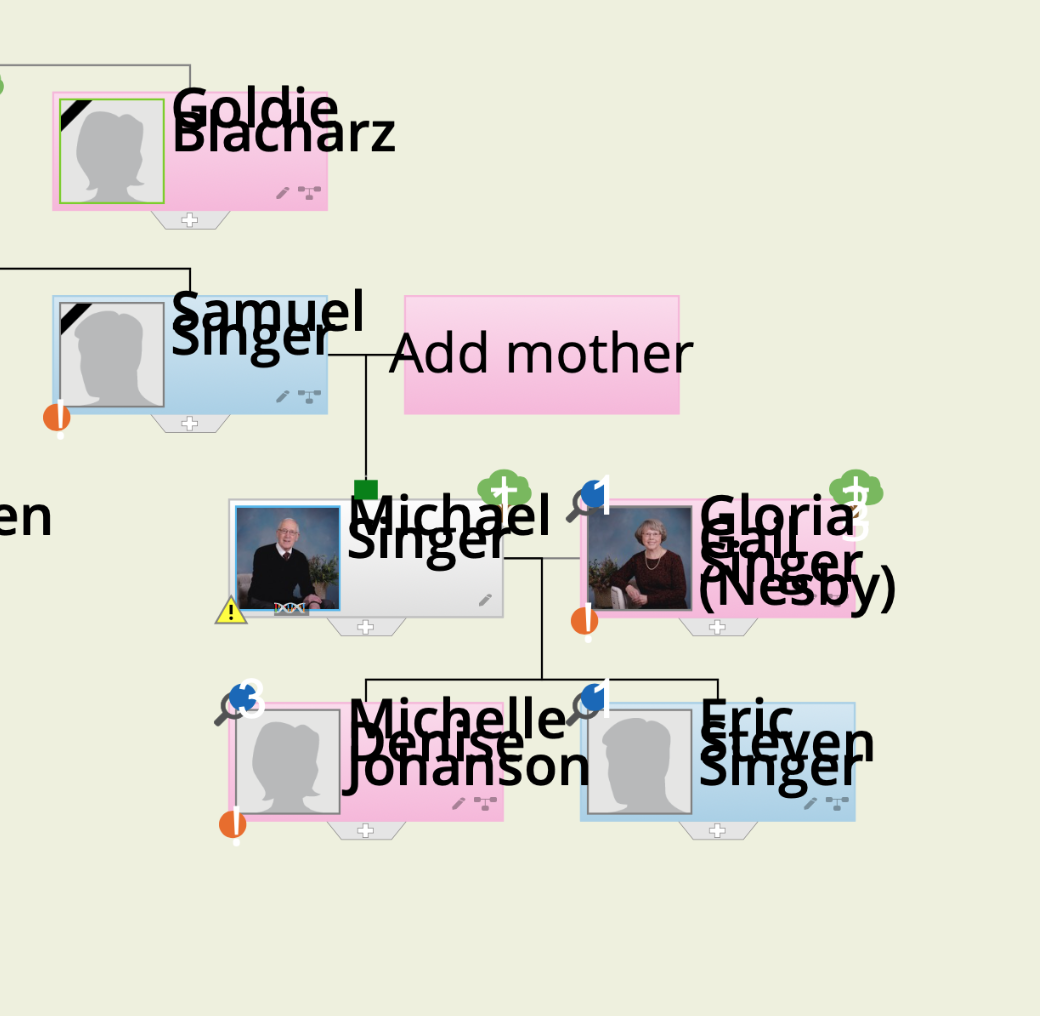
why can't I see the full names on my family tree? Also - the actual squares are larger than they used to be - and I cannot make them smaller. The comment is that I need flash player - but I do have it on my computer and it used to be fine.
why can't I see the full names on my family tree? Also - the actual squares are larger than they used to be - and I cannot make them smaller. The comment is that I need flash player - but I do have it on my computer and it used to be fine.

I have the same problem. Did you get it fixed? I know there is a toggle switch on the screen with the tree, u
can make it smaller briefly, but it goes right back to large.

I see the questions are from 20`4-15.
Where are the answers?

same issue!!!!!

Having the same problem it seems. Text is too large and overlaps other entries.
If this is how its gonna be, certainly NOT going to pay over $100 for an annual subscription!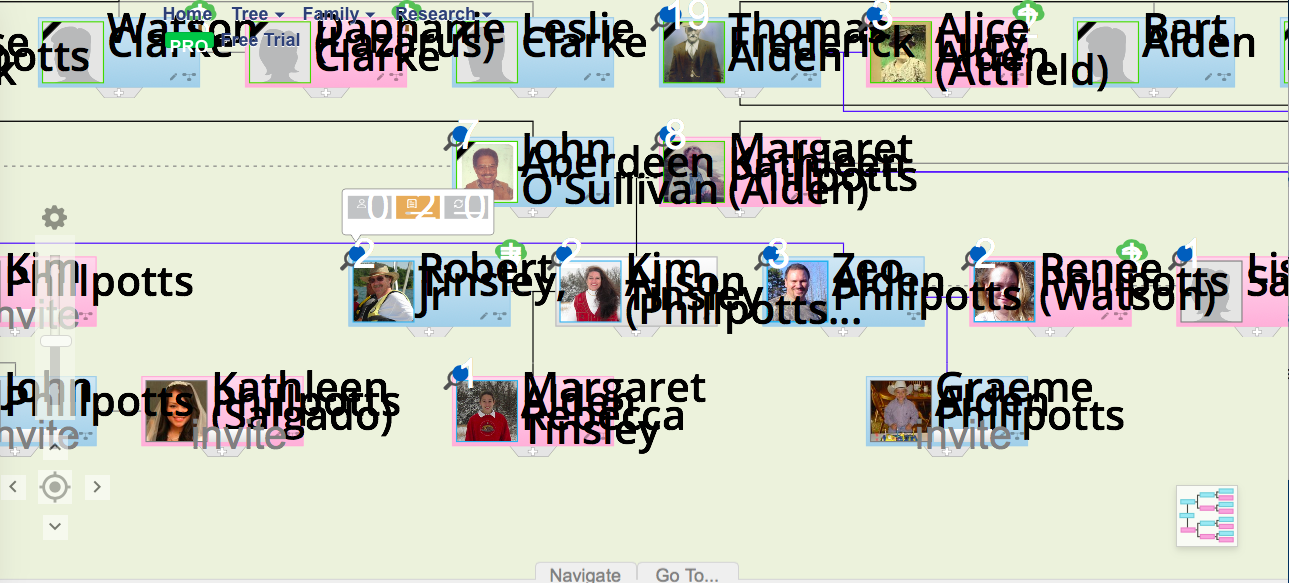

I'm sure that can be frustrating for it to look like that, Kim!
As of Dec. 5, 2019, I'm not seeing any issue with text size vs. "icon box" size, using either the Flash tree or the HTML tree. (Specifically, using Chrome on Mac.)
The two different types of Tree "viewers" (Flash - older - vs. HTML) can be selected under the "Tree" menu at the top of the Geni window.
Please check to be sure your browser has the latest revisions (and if using the Flash viewer, that the last 'free' version of Flash is installed; you may have to close & then re-open the browser after a Flash update).

Using Flash can be a bit difficult and may depend on the browser you use.
On Firefox it will ask if you want to allow flash content to be shown. If you agree you might see that Geni is still presenting you with a HTML tree, because it can timeout on flash because you need to confirm you want to use it and that takes some time. If you page back to the previous screen that will be a Flash screen.
If you still have problems it may help to known which browser and browser version you are using and on which operating system.

My pages look exactly like Kim Allison Kinsley's here. I can't navigate it using the control buttons - things just jump all over the place. Tried downloading the software for MAC from what appears to be Heritage but I'm not a paying member of Heritage - just using the free GENI site. I'm so frustrated with this. I'm using Ancestry instead now. I'm trying to construct a fairly large tree and I"m going nuts! I think Ancestry is hard to use but this is even worse! The thing is sometimes you can find some links on GENI that you can't find on Ancestry! What to do about the tree appearance???
There is a slider on the left of the screen where you can adjust the zoom level.
If you are using a Mac and Safari it may help to switch to Firefox.
Thanks for your comment, Job, but I've tried that over and over. It makes the whole tree bigger or smaller but not the fonts. I have Safari and Google on my MAC but adding Firefox too seems like overkill. Why wouldn't the GENI site work with Safari? I mean- a lot of people are MAC users? Rhetorical question, of course!
There are know issues with Safari on a Mac for Geni, so it would help if you could use another browser. So if you have Chrome pleas try that and see if it makes any difference.
Thanks, Job! I just tried it and it looks right! I hope this will be the cure!!!
Glad to hear it.
From what I heard it seems Apple would have to change Safari for it to get it to work. So if Apple releases a new version for Safari you could try and see if that is a solution.

I have a Mac with Safari and have the problem with the large text just like other people have. I had this problem before and it went away but now it is back again. Is there a setting for text font?